Wifi Router Placement Away From Cot Uk
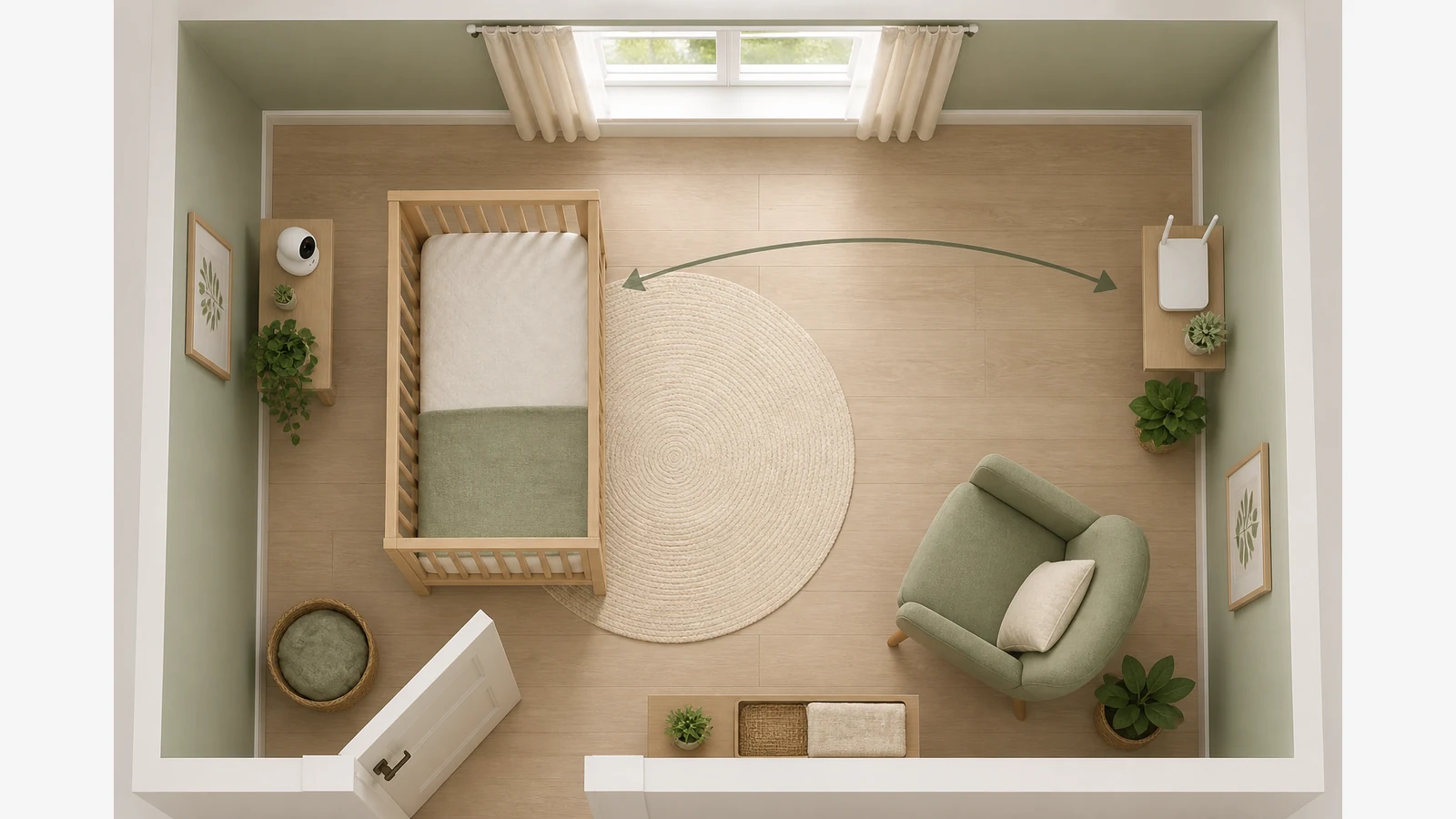
Start at the cot, not the router: take an RF note at mattress height, then walk toward the Wi‑Fi box in half‑metre steps and log each stop before you move anything. In many UK flats the router, baby monitor and cot share one small room, so a short evening walkthrough tells you whether distance alone cuts the peak—or whether you are mainly seeing mains magnetic fields from plugs and chargers.
UK public guidance on electromagnetic fields centres on keeping exposures within ICNIRP-framed policy and regulation. That framing is about compliance context, not a universal “safe centimetre” rule for nurseries. Consumer handheld meters are comparative tools: useful for before/after placement notes, not a substitute for a calibrated survey.
Why router-to-cot spacing matters in UK homes
Dense terraces and new-build flats often force the broadband box onto a hallway shelf or the nursery windowsill. Baby monitors stay powered overnight. Parents then search for a fixed safe distance and find conflicting forum numbers. A better approach is local: measure the RF pattern you actually have, then test one move at a time.
UKHSA’s sources overview also notes that the highest domestic magnetic fields usually sit close to appliances and wiring. That is why a 3‑in‑1 walkthrough helps: RF mode for the router path, magnetic mode if a spike follows a wall socket or adaptor brick instead.
One-evening nursery distance checklist
- Baseline at the cot — Stand still 10–20 seconds at mattress height with RF mode. Note time, room, and whether the monitor parent unit is on.
- Half-metre steps toward the router — Log RF at 0.5 m, 1.0 m, 1.5 m, and at the router face. Keep the meter orientation consistent.
- Peak mark — Circle the highest RF stop on a rough floor sketch. Mark where the climb starts on a rough floor sketch.
- Separate magnetic checks — Switch to magnetic mode at the cot, then beside any nearby extension lead or wall wart. If the “hot” spot follows the plug cluster, moving Wi‑Fi alone will not fix it.
- One relocation — Move the router to the next practical shelf or hallway position that still covers the flat. Re-measure the same cot point and the same step path.
- After-move log — Keep baseline, peak, and after-move numbers in one table so you can compare like with like tomorrow night.
What to write down
| Stop | Distance from cot | Mode | Reading | Notes |
|---|---|---|---|---|
| Cot centre | 0 m | RF | Monitor on/off | |
| Step 1 | 0.5 m | RF | ||
| Step 2 | 1.0 m | RF | ||
| Router face | — | RF | Before / after move | |
| Cot centre | 0 m | Magnetic | Near sockets? |
Reading the pattern without inventing a “safe distance”
- If RF falls steadily as you leave the router and the cot note drops after a hallway move, placement was the main lever.
- If RF at the cot barely changes but magnetic notes jump next to a charger brick, treat wiring and adaptors as a separate job.
- If numbers bounce while you walk, pause longer at each stop; motion and hand grip can muddy comparative notes.
There is no single UK centimetre rule that guarantees a nursery layout. Use distance as a practical lever inside the official compliance context, not as a medical promise.
When a 3-in-1 handheld is enough
For a rental or first nursery layout, a handheld comparative walkthrough is usually enough to decide whether the router should leave the cot wall. If you also want a timed sequence for monitor, white noise and router on the same night, pair this checklist with the one-night nursery device schedule. For magnetic context against published UK home ranges, see how to compare home magnetic notes to UKHSA background ranges.
If you need a compact meter that can switch RF and magnetic modes in one evening, the product page for the handheld 3-in-1 EMF meter is the next practical step—after you have written tonight’s baseline.
FAQ
Is there an official UK safe distance between a Wi‑Fi router and a cot?
No fixed nursery distance is published as a medical guarantee. Policy materials frame public EMF management around guideline compliance and typical domestic patterns; your job is to measure relative changes when you move kit.
Should I turn the router off at night instead?
Some households choose that for sleep-time Wi‑Fi needs, but it is a lifestyle choice, not required by the measurement method above. If you keep Wi‑Fi on for cameras or monitors, distance and placement notes still help.
Can a phone app replace a meter?
Phone sensors and apps are inconsistent for this walkthrough. A dedicated handheld with a clear RF mode and a separate magnetic mode makes before/after logs easier to trust for placement decisions.